

Hey there! As a supplier of floating pool lights, I often get asked about how to set the color - changing mode of these nifty little devices. Today, I'm going to walk you through the process step by step, so you can make the most of your floating pool light and create a stunning ambiance in your pool.
First off, let me introduce you to some of the amazing floating pool lights we offer. We have the Remote Control Floating Pool Lamp, which gives you full control over the light's settings from a distance. Then there's the 16 Colors Waterproof LED Floating Pool Light, which offers a wide range of colors to choose from. And if you're into eco - friendly options, our Colorful Solar Powered Floating Pool Light is a great pick.
Understanding the Basics
Before we dive into setting the color - changing mode, it's important to understand a bit about how these floating pool lights work. Most of our lights are equipped with LED technology, which is energy - efficient and long - lasting. They come with different features like multiple color options, color - changing modes, and sometimes even adjustable brightness.

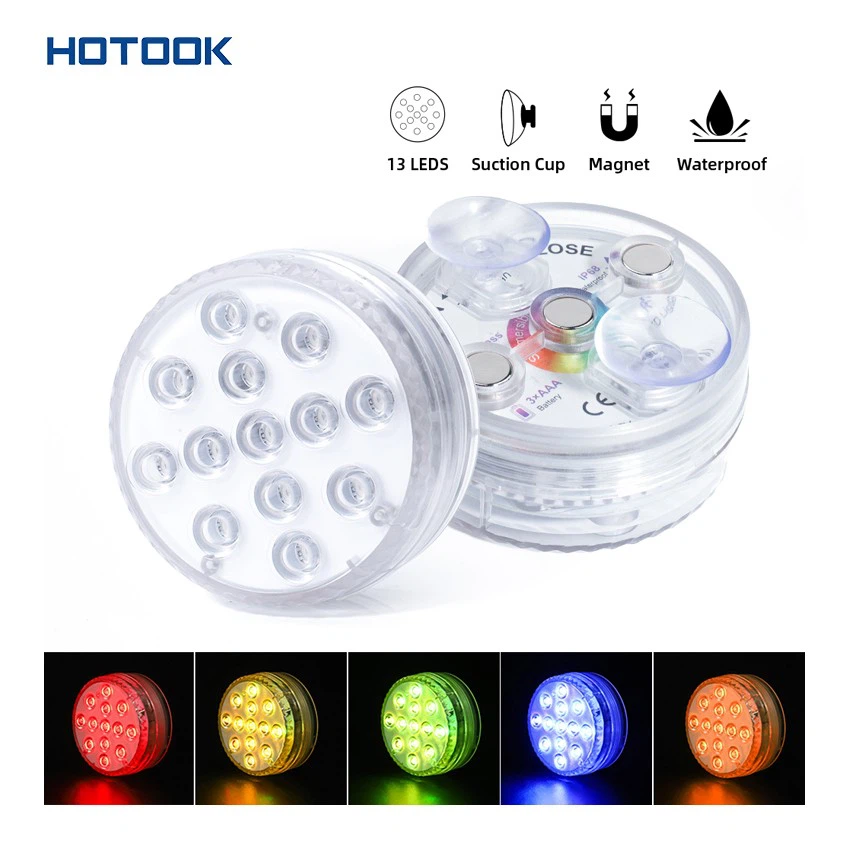
Different Types of Color - Changing Modes
There are generally a few common color - changing modes you can expect to find in our floating pool lights.
Static Color Mode
This is the simplest mode. In static color mode, you can choose a single color for your pool light to stay on. For example, if you want a relaxing blue hue to set a calm mood, you can select blue and the light will remain that color.
Color Cycle Mode
In color cycle mode, the light will automatically change through a sequence of colors. This creates a dynamic and visually appealing effect in your pool. The speed of the color change can sometimes be adjusted as well.
Strobe Mode
Strobe mode is a bit more energetic. The light will flash on and off rapidly, creating a party - like atmosphere. It's great for adding some excitement to your pool gatherings.
Setting the Color - Changing Mode
Now, let's get into how you actually set these modes.
For Remote - Controlled Lights
If you have a Remote Control Floating Pool Lamp, the process is pretty straightforward.
- Turn on the light: First, make sure the floating pool light is turned on. You can usually do this by pressing the power button on the light itself or on the remote control.
- Select the mode: On the remote control, there will be buttons to select different modes. Look for buttons labeled "Mode", "Color", or something similar. Press these buttons to cycle through the available modes until you find the one you want.
- Adjust the settings: Some remotes also allow you to adjust the speed of the color change in color cycle mode or the brightness of the light. You can use the up and down buttons on the remote to make these adjustments.
For Non - Remote - Controlled Lights
If your light doesn't come with a remote control, like some of our 16 Colors Waterproof LED Floating Pool Light models, the process might be a bit different.
- Locate the control button: There is usually a small button on the light itself. Press this button to turn on the light.
- Change the mode: Keep pressing the button to cycle through the different modes. Each press will usually switch to the next mode available. For example, the first press might turn on static color mode, the second press could switch to color cycle mode, and so on.
- Select a color in static mode: If you're in static color mode, you can often keep pressing the button to cycle through the available colors until you find the one you like.
For Solar - Powered Lights
Our Colorful Solar Powered Floating Pool Light has its own unique way of working.
- Charge the light: Make sure the light has been charged properly during the day. The solar panel on the light will absorb sunlight and convert it into energy to power the light at night.
- Turn on the light: Once it gets dark, the light will automatically turn on. It usually starts in a default mode, which is often color cycle mode.
- Change the mode (if applicable): Some solar - powered lights may have a button to change modes. If so, follow the same process as for non - remote - controlled lights to cycle through the modes.
Troubleshooting
Sometimes, you might run into a few issues when trying to set the color - changing mode.
The light won't turn on
- Check if the battery is charged (for non - solar lights). Replace the batteries if needed.
- For solar lights, make sure they have received enough sunlight during the day.
The mode buttons aren't working
- Check if the remote control has batteries and if they are inserted correctly (for remote - controlled lights).
- If it's a non - remote - controlled light, make sure the button isn't damaged. You can try cleaning it gently with a soft cloth.
The color change isn't smooth
- This could be due to a low battery. Replace the batteries or make sure the solar light is fully charged.
- It might also be a software glitch. Try turning the light off and on again to reset it.
Conclusion
Setting the color - changing mode of a floating pool light is actually quite easy once you understand how it works. Whether you're looking for a relaxing evening by the pool or a fun party atmosphere, our floating pool lights can help you achieve the perfect look.
If you're interested in purchasing any of our floating pool lights or have more questions about setting the color - changing mode, feel free to reach out. We're always here to help you make the most of your pool lighting experience. Let's create a beautiful and vibrant pool environment together!
References
- General knowledge of floating pool light technology and user manuals of the products.